Page 1 of 1
Single Still To Video
Posted: Mon Nov 24, 2025 5:41 pm
by graham728
Hi,
It may be obvious but I've tried without success.
I want to take a single PNG and make it into a five second video. Not sure how to do this?
Thanks!
Re: Single Still To Video
Posted: Thu Nov 27, 2025 11:31 am
by emcodem
Hey Graham,
if you can use A/V decoder, just do it with a Custom Avisynth script:
Code: Select all
m_clip=loop(m_clip,250,0)
Return m_clip
Above means repeat frame 0 250 times, i think it would also work when written as m_clip=loop(m_clip,250)
Let me know if it works for you!
EDIT: we also have it in the stills decoder, i forgot... i believe it will do more or less the same internally but not 100% sure about it
Re: Single Still To Video
Posted: Sun Nov 30, 2025 10:26 pm
by FranceBB
emcodem wrote: Thu Nov 27, 2025 11:31 am
i believe it will do more or less the same internally
Yep. I mean, kinda, but yeah.

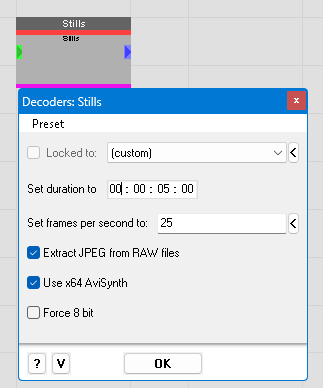
Well this
- Screenshot 2025-11-30 221418.png (7.3 KiB) Viewed 9013 times
just like the A/V Decoder is going through an indexer, in this case ImageSource().
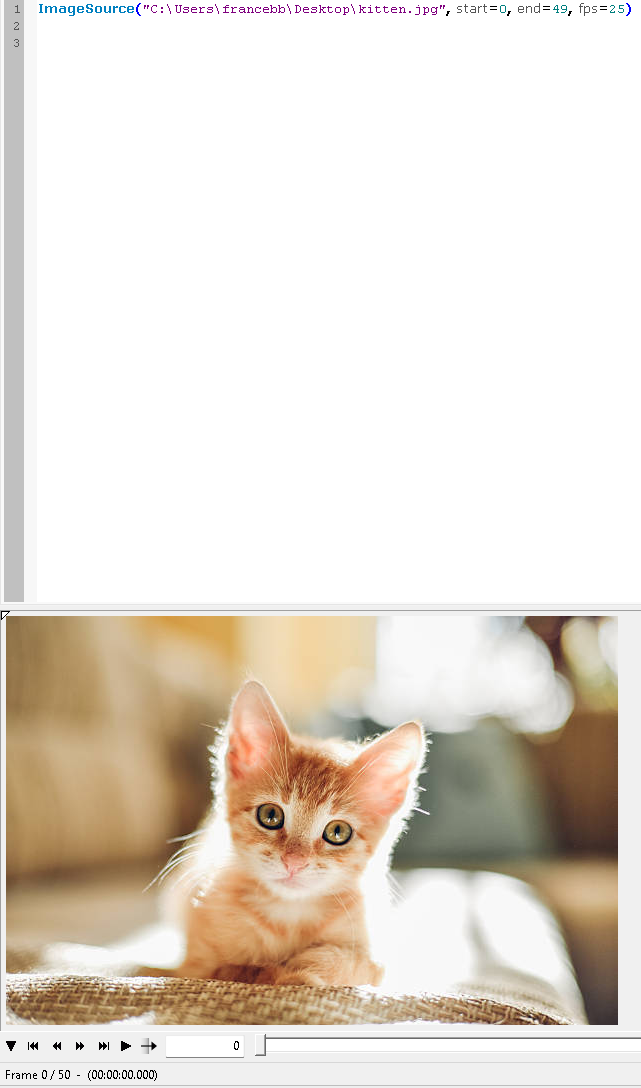
If we were writing a script from scratch, we would use the indexer to index the image and specify how many frames and at what framerate we want the image to become in the uncompressed A/V stream in our beloved frameserver.
For instance, to get 2 seconds (i.e 50 frames at 25fps) we would specify:
- Screenshot 2025-11-30 222213.png (286.49 KiB) Viewed 9013 times
and that's exactly what we're doing in FFAStrans as well, namely using the indexer.

Code: Select all
ImageSource("' & $s_JOB_ORIGINAL_LOCAL_FILE & '", start = 0, end = ' & $i_PROC_LENGTH & ', fps = ' & $i_PROC_FPS & ')'
where the end is always calculated (i.e converted in frames) from the variable read from the user input and so are the fps.